Scenario: The agent sees “call connected” in your React softphone. SIP registration is green. CDR shows ANSWERED. Neither side hears audio—or only one side does. The obvious fix (open more firewall ports, change NAT, rewrite the dialplan) may be wrong and can make production worse.
Direct answer
Work in a fixed order: registration/signaling → SIP/SDP offer/answer → ICE connectivity → DTLS-SRTP → inbound/outbound RTP counters → decoded audio energy → remote track attached and .play() → PBX/media path → far-end capture/device.
If packetsReceived rises but audioLevel / totalAudioEnergy stay near zero, you usually have media arriving without usable decode (codec/payload, one-way RTP, far-end mute)—not only a React srcObject bug. Do not change NAT or TURN until stats and SDP support it.
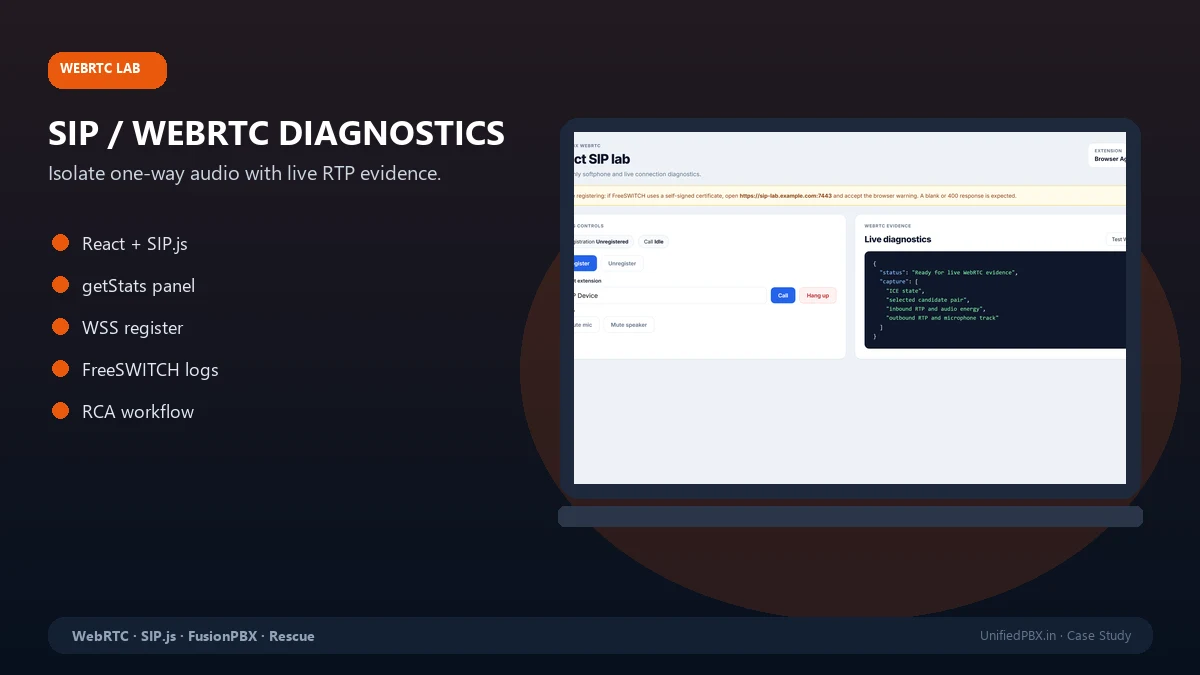
Evidence path: React SIP / WebRTC Diagnostic Lab · case study · WebRTC development for production fixes.
Symptom matrix
| What users report | Often means | First checks |
|---|---|---|
| No audio both ways | ICE failure, SRTP mismatch, or both legs one-way | ICE state, DTLS, RTP on both directions |
| One-way audio | Asymmetric RTP/NAT, wrong codec on one leg, muted far-end | Compare inbound vs outbound stats per peer |
| Delayed audio then OK | ICE gathering, late candidate, buffer | Timestamps on first RTP vs answer |
| Audio drops after hold | Re-INVITE/SDP, track replaced, autoplay policy | Hold/resume SDP diff, track muted |
| Connect then instant hangup | 488/606 codec, auth, or media timeout | SIP response code, PBX hangup cause |
Troubleshooting decision tree
Call "connected" in UI?
├─ NO → SIP signaling (401/403/408), WSS cert, registrar reachability
└─ YES → Remote audio element playing? (not muted, not zero volume)
    ├─ NO → srcObject, autoplay policy, user gesture, detached track
    └─ YES → getStats(): packetsReceived increasing on inbound-rtp?
        ├─ NO → ICE failed / no route / firewall UDP / need TURN
        └─ YES → audioLevel or totalAudioEnergy rising?
            ├─ NO → codec/payload, PT mismatch, far-end not sending speech, encrypt mismatch
            └─ YES → check outbound leg symmetrically; if one-way, NAT/RTP symmetric routing on PBX
What each step proves: registration proves signaling only; RTP counters prove packets reached the browser; energy proves decode produced speech. None of these alone proves the far-end user’s microphone works.
Diagnostic order (technical)
- Registration —
200 OKon REGISTER does not validate media. - SDP — codec list,
m=audioport,a=rtcp-mux, DTLS fingerprint alignment between offer/answer. - ICE —
connectedvsfailed; host/srflx/relay candidates; whether relay appears when symmetric NAT is suspected. - DTLS-SRTP — handshake errors show as failed transports before RTP counts move.
- RTP —
bytesReceived,packetsReceived,packetsLost, jitter; compare A→B and B→A. - Decoded audio —
audioLevel,totalAudioEnergy(Chrome); sustained near-zero with rising packets → investigate codec/far-end. - Playback —
HTMLMediaElement,setSinkId, tab focus, corporate policies blocking autoplay.
Reading getStats() (illustrative)
On a healthy inbound audio track you typically see increasing packetsReceived and non-trivial totalAudioEnergy while someone speaks on the far end. Synthetic example for education only:
inbound-rtp (audio):
  packetsReceived: 1842
  bytesReceived: 312400
  audioLevel: 0.12
  totalAudioEnergy: 4.8
If packetsReceived climbs above ~500 in a 20s test call but totalAudioEnergy stays < 0.01, suspect payload/codec or silent far-end—not “React is broken” by default.
Use chrome://webrtc-internals (or Firefox about:webrtc) to export the same era as your SIP trace. Align timestamps with FreeSWITCH sofia or Asterisk pjsip logs.
React/SIP.js vs PBX vs network
| Layer | Symptom hint | Evidence |
|---|---|---|
| React UI | Track never attached, play() rejected | Console, remoteAudio.srcObject, autoplay |
| SIP.js | Wrong session description handler, early BYE | SIP message log, SDP diff |
| FusionPBX/FreeSWITCH | One leg no RTP in show channels | rtp_audio_in/out, codec in channel vars |
| NAT/TURN | Both legs fail off-LAN | ICE relay usage, symmetric RTP settings |
A minimal SIP.js baseline on the same PC and network as production is the fastest A/B test. The diagnostic lab is that baseline packaged for engagement; integrating fixes into your product is scoped separately.
When to touch Sofia, NAT and TURN
Inspect PBX RTP when browser stats show no inbound packets despite connected ICE—check external RTP IP, NDLB, firewall pinholes, and whether WebRTC profile matches TLS/WSS path. Add TURN when candidates stay srflx but media is asymmetric across VPN/corporate egress—not as the first knob on every ticket.
Deep server-side media notes: one-way audio in FreeSWITCH/FusionPBX.
Acceptance criteria (before you close the ticket)
- Reproduced on defined browsers/networks (document VPN vs office).
- Two-way speech confirmed with stats screenshot or exported internals and PBX leg counters.
- Hold/resume and second call if in scope.
- Written root cause: client, PBX config, or network—with what was not verified.
Regression checklist
- Chrome + Firefox (+ Safari if in scope)
- Office Wi‑Fi vs home vs VPN
- Headset vs built-in mic (far-end and near-end)
- After deploy: cache, service worker, old bundle still served
Fault-isolation matrix (summary)
| Evidence | Likely layer | Unlikely to be sole cause |
|---|---|---|
ICE failed | Network/TURN/firewall | React CSS |
ICE connected, RTP zero | PBX not sending to browser IP:port | User volume slider |
| RTP high, energy zero | Codec/payload/far-end mute | STUN server brand |
| Energy OK, user hears nothing | Playback/autoplay/setSinkId | SIP REGISTER expiry |
| One leg only | Asymmetric RTP/NAT | Single global codec setting |
Minimal SIP.js baseline (conceptual)
Run a stock SIP.js user agent with the same WSS URL, credentials and ICE servers as production—no Redux, no custom audio worklets. If baseline audio works, bisect production changes (track attachment, hold logic, third-party SDK). If baseline fails, bisect network and PBX with the same stats exports.
Connected path on this site
Troubleshooting article → diagnostic lab case study → lab estimator or WebRTC development for product integration.
Author note: Methodology comes from production rescues; browser and PBX versions in your environment may differ—validate on your builds.
Limitations: Stats field names vary by browser version; we document tested Chromium-era fields. Production packet capture may need customer approval.
Next step: Diagnose my WebRTC audio issue · Production rescue if the PBX path is on fire