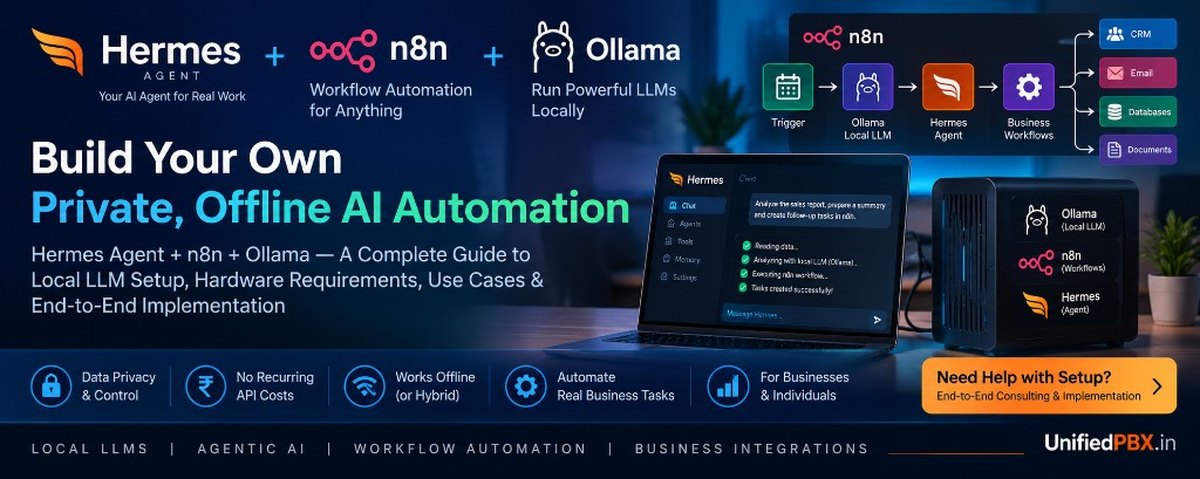
A complete guide to agentic AI, offline automation, local LLM deployment, minimum GPU requirements, business use cases, and end-to-end implementation
By UnifiedPBX.in | AI Automation, Local LLMs & Enterprise Systems Architecture
1. Introduction: Why Businesses Are Moving Toward Local AI Automation
Artificial intelligence is moving beyond chatbots and content generation. Businesses increasingly want AI systems that can understand instructions, access approved business data, execute workflows, automate repetitive tasks, and coordinate multiple applications with minimal human intervention.
However, many organizations face three important challenges when adopting AI:
- Data privacy: Sensitive business information should not automatically be sent to external AI providers.
- Recurring costs: Cloud AI APIs can introduce variable costs as usage increases.
- Operational dependency: Businesses may want AI capabilities that continue operating when internet connectivity is limited or unavailable.
A practical solution is to combine three technologies:
- Hermes Agent: An agentic AI assistant that can use tools, maintain memory, and execute multi-step tasks.
- n8n: A workflow automation platform that connects applications, APIs, databases, and business processes.
- Ollama: A local model runtime that allows compatible large language models (LLMs) to run on your own computer or server.
Together, these technologies can form the foundation of a private AI automation environment that runs on local hardware rather than depending entirely on cloud AI services.
The objective is not simply to install an AI chatbot. It is to build a controlled automation system that can read approved documents, classify information, generate responses, process structured data, execute workflows, and assist with business operations.
2. Understanding the Three Components
2.1 Hermes Agent: Your AI task executor
Hermes Agent, developed by Nous Research, is an agentic AI framework designed to work with tools, persistent memory, reusable skills, and multi-step tasks.
Unlike a conventional chatbot that only responds to a prompt, an agent can follow a process such as:
- Understand a business request.
- Retrieve relevant information from approved sources.
- Determine the next action.
- Call an available tool.
- Review the result.
- Continue until the task is completed or human approval is required.
For example, a business owner could ask an appropriately configured agent to review a set of sales reports, identify overdue opportunities, prepare follow-up messages, and create a summary for the sales team.
Hermes can connect to supported local or self-hosted model endpoints, including Ollama, and offers additional capabilities such as skills, memory, messaging integrations, and scheduled tasks. Available features depend on configuration and enabled tools.
Official documentation: https://hermes-agent.nousresearch.com/docs/getting-started/quickstart
Where Hermes adds value
- Personal AI assistants and research agents.
- Multi-step document analysis.
- Reusable task skills.
- Local or self-hosted AI interaction.
- Controlled terminal and tool operations.
- Assistance with development, infrastructure, and business operations.
An important consideration is that agentic execution requires more than a capable model. Tool permissions, execution environments, memory configuration, and the quality of the model all influence reliability.
2.2 n8n: The workflow automation engine
n8n is a workflow automation platform that connects business applications, databases, APIs, and AI services through configurable workflows.
Think of n8n as the orchestration layer between an AI model and the applications where business work actually happens.
For example, consider a lead-processing workflow:
- A new lead enters a CRM or internal database.
- n8n retrieves the lead information.
- Ollama classifies the lead using a local LLM.
- n8n applies business rules to the result.
- The system assigns the lead to the correct sales representative.
- A notification is generated.
- The outcome is recorded for reporting.
This combines the flexibility of AI with the predictability of conventional workflow automation.
n8n is particularly useful when you need integrations, conditional branches, schedules, retries, notifications, data transformations, and human approval steps.
Official website: https://n8n.io/
Official documentation: https://docs.n8n.io/
2.3 Ollama: Running language models locally
Ollama makes it easier to download, run, and manage supported open-weight language models on a local computer or server.
Instead of sending every prompt to a remote model API, your application can send requests to an Ollama service running on your own infrastructure.
For example:
ollama run llama3.2:3bThis downloads the specified model if necessary and starts an interactive session. The model runs locally after its files have been downloaded.
Ollama provides a local HTTP API, typically at:
http://localhost:11434
Applications such as Hermes and n8n can use compatible model interfaces or integration nodes to communicate with the local model.
Official website: https://ollama.com/
Official documentation: https://github.com/ollama/ollama/blob/main/docs/quickstart.md
What local inference means: The model processes your prompts on your own hardware. It does not inherently require a paid cloud inference API.
However, downloading models, installing software, retrieving online information, and connecting to external business applications may still require internet access.
3. How Hermes, n8n, and Ollama Work Together
A useful architecture separates reasoning, workflow execution, and model inference.
              BUSINESS USER
                    |
                    v
        Hermes Agent / User Interface
                    |
                    v
          AI Task Planning & Tools
                    |
          +---------+----------+
          |                    |
          v                    v
      Local Ollama          n8n Workflows
      Model Inference       Business Rules
          |                    |
          v                    v
     AI Classification    Databases / Files
     Text Generation      Internal Applications
          |                    |
          +---------+----------+
                    |
                    v
          Results / Approval / Logs
In this architecture:
- Hermes handles supported agent interactions, planning, and tool execution.
- Ollama generates responses and performs model-supported tasks.
- n8n executes defined business workflows and integrations.
- Databases and document stores provide approved business information.
- Human approval controls govern sensitive or irreversible actions.
The components do not automatically form one integrated system simply because all three are installed. Their connections must be configured, tested, and secured.
Should Hermes control n8n, or should n8n call the LLM directly?
Both patterns are useful.
Pattern A — n8n-first automation: A workflow receives an event, calls Ollama, applies business rules, and completes a predefined process. Use this for repeatable tasks with predictable inputs and outputs.
Pattern B — agent-first automation: Hermes receives a broader instruction, uses its available tools to investigate the task, and invokes approved workflows or services. Use this when the steps depend on context or the user’s goal.
Recommended approach: Keep critical business logic and permissions in deterministic services and n8n workflows. Use Hermes for flexible task orchestration where it adds value. This reduces the risk of giving an AI agent unrestricted control over business systems.
4. Minimum Hardware Requirements: Can You Run AI Without an Expensive GPU?
One of the biggest misconceptions about local AI is that you need an expensive graphics card to get started.
You do not. Ollama can run compatible models on CPU-only systems, although inference may be considerably slower. A GPU is primarily a performance and capacity investment, not an absolute requirement.
The correct hardware depends on model size, quantization, context length, concurrency, and the workload.
4.1 Practical hardware configurations
The following are planning recommendations, not guaranteed minimums or vendor-certified specifications.
| Configuration | Suggested hardware | Suitable workloads |
|---|---|---|
| Basic CPU-only setup | 8 GB RAM, 4+ CPU cores, SSD | Small-model experiments and simple personal tasks |
| Recommended entry-level setup | 16 GB RAM, 6–8 CPU cores, SSD | Personal assistant, document classification, basic automation |
| Better everyday local AI | 32 GB RAM, 8+ CPU cores, optional 8 GB VRAM GPU | More capable models, longer prompts, multiple applications |
| Performance-oriented workstation | 32–64 GB RAM, 12–16 GB or more VRAM | Larger models, development agents, heavier workloads |
| Small business AI server | 64 GB RAM or more, suitable GPU, NVMe storage | Concurrent requests, internal knowledge assistants, production pilots |
These categories are approximate. Actual memory requirements vary substantially with the model and runtime settings.
The official Ollama documentation provides examples of model sizes and hardware considerations: https://github.com/ollama/ollama/blob/main/docs/quickstart.md
4.2 What is the minimum GPU you need?
For an initial experiment, zero GPU is acceptable.
You can begin with a small quantized model on a machine with sufficient system RAM. CPU inference is often adequate for low-volume tasks such as categorization, extracting fields from text, or drafting short summaries.
For a more responsive experience, consider these broad planning ranges:
| GPU memory (VRAM) | Typical target |
|---|---|
| No discrete GPU | Small models using system RAM and CPU |
| 6–8 GB | Smaller quantized models and selected 7B–8B-class models |
| 12–16 GB | More flexibility for medium-sized quantized models |
| 24 GB or more | Larger models, more context, and heavier inference workloads |
These ranges are not hard limits. Some models will exceed them, while smaller quantized models may fit comfortably below them.
Important: Model weights are only part of the memory requirement. The KV cache, context window, runtime overhead, and concurrent requests also consume memory. Larger context windows can substantially increase resource requirements. See the Ollama context-length documentation.
4.3 Which local model should you start with?
Start with a small model, validate the workload, and increase model size only when testing demonstrates a quality limitation.
Examples from the Ollama model library include:
llama3.2:1b— a small model for lightweight experiments.llama3.2:3b— a practical starting point for simple local tasks.llama3.1:8b— an example of a larger general-purpose model.- Other compatible instruction-tuned and coding models can be evaluated according to their tool-calling support, license, language coverage, and benchmark results.
Model availability and tags can change. Check the current model library before selecting a production dependency: https://ollama.com/library
Do not assume that a small model will reliably execute complex multi-step agent workflows. Tool calling, structured output, instruction following, and long-context performance must be tested on the actual workload.
5. Step-by-Step Setup Guide
This example uses Linux or Ubuntu as the deployment platform. Windows users can also run Ollama natively, while Linux under WSL2 is another option. For a production server, a dedicated Linux environment is often easier to operate consistently.
Step 1: Prepare the operating system
Install a supported Linux distribution and update the system.
sudo apt update
sudo apt upgrade -y
sudo apt install -y curl git ca-certificates
Use a non-root administrative account for routine operations. Keep adequate free SSD storage for models, workflow data, logs, and backups.
Step 2: Install Ollama
Follow the current installation instructions on the official Ollama website.
For a Linux installation, the documented installer command is:
curl -fsSL https://ollama.com/install.sh | shReview installer behavior and security requirements before using it in a managed production environment.
Check that Ollama is available:
ollama --version
ollama list
Download a small model:
ollama pull llama3.2:3bTest inference:
ollama run llama3.2:3bAsk a question and confirm that the model responds.
If you have a supported GPU, verify that the correct drivers are installed and that the model is using the intended hardware. The ollama ps command can help inspect loaded models and processor allocation.
Step 3: Verify the local model API
Test the local API from the same machine:
curl http://localhost:11434/api/generate \
  -H "Content-Type: application/json" \
  -d '{
    "model": "llama3.2:3b",
    "prompt": "Summarize the benefits of local AI automation.",
    "stream": false
  }'
If the service is running and the model is available, it should return a generated response.
Keep the Ollama API bound to a trusted interface. Do not expose port 11434 directly to the public internet without a properly designed authentication and network-security layer.
Step 4: Install Hermes Agent
Follow the current official installation guide:
https://hermes-agent.nousresearch.com/docs/getting-started/quickstart
For Linux, macOS, or WSL2, the documented command-line installation method is:
curl -fsSL https://hermes-agent.nousresearch.com/install.sh | bashReload your shell if the installer requests it, then start the setup process:
hermes setupConfigure a supported model provider. For a local deployment, select the custom or self-hosted endpoint option and configure the Ollama endpoint and model name.
A typical OpenAI-compatible endpoint is:
http://localhost:11434/v1The exact model name must match the installed Ollama model. Set the context length to a value the model and hardware can actually support.
Critical compatibility check: Current Hermes documentation specifies a minimum context length of 64,000 tokens. Ollama's default context allocation may be much smaller, depending on available VRAM and configuration. Do not assume that a successful Ollama chat automatically means the selected model meets Hermes' requirements. Verify the actual runtime context and available memory first.
For local-only operation, do not select a cloud provider or enable optional cloud tools unless your privacy requirements permit them.
Step 5: Test Hermes before adding integrations
Verify that Hermes can complete a normal conversation with the selected local model.
Then test a small task that requires tool use, if the model and configuration support it.
For example:
- Read a permitted local document.
- Extract specific fields.
- Summarize the content.
- Produce structured output.
- Verify that the result is accurate.
Only after the basic model integration works should you add messaging channels, scheduled tasks, external tools, or broader permissions.
Step 6: Install n8n
For a quick proof of concept, n8n can be tested using its supported self-hosting options. For persistent deployment, use the official Docker Compose or other recommended production configuration.
Official installation documentation:
https://docs.n8n.io/hosting/installation/
A basic Docker-based test can use:
docker volume create n8n_data

docker run -it --rm \
  --name n8n \
  -p 127.0.0.1:5678:5678 \
  -v n8n_data:/home/node/.n8n \
  docker.n8n.io/n8nio/n8n
Open http://localhost:5678 to access the local editor.
This is a development example, not a production deployment recipe. For long-running services, configure a persistent deployment, authentication, encryption keys, backups, updates, and appropriate access controls.
Step 7: Connect n8n to Ollama
There are two common approaches:
Option A: Use an available Ollama integration node. Configure the Ollama service URL and select the installed model. Node availability and configuration depend on your n8n version.
Option B: Use an HTTP Request node. Send a request to Ollama's local API or a compatible chat endpoint. For example:
POST http://ollama:11434/api/chatWhen both services run inside Docker, ollama must be a valid service hostname on the shared Docker network. The name localhost inside an n8n container points to that container, not to the Ollama host.
Use this request body as a starting point:
{
  "model": "llama3.2:3b",
  "messages": [
    {
      "role": "user",
      "content": "Classify this support request and return a short summary."
    }
  ],
  "stream": false
}
For a production workflow, pass the actual incoming request into the prompt, validate the output, and handle errors and timeouts. Do not rely on unvalidated model output to authorize sensitive actions.
Step 8: Build your first automation
Create a simple workflow with the following nodes:
- Manual Trigger or Schedule Trigger.
- Read data from an approved file or database.
- Send the text to Ollama.
- Parse and validate the model response.
- Apply deterministic conditions.
- Write the result to a database or approved output file.
- Record the outcome and any errors.
For example, an invoice-processing workflow could extract the invoice number, date, supplier, amount, and tax details from supplied text. The workflow would validate the extracted fields and flag uncertain results for human review rather than automatically paying the invoice.
Step 9: Add Hermes-to-n8n orchestration
Once n8n workflows are stable, expose only the workflows that Hermes is authorized to invoke.
A common implementation is to provide an authenticated internal webhook or a narrowly scoped service endpoint.
The execution path becomes:
- A user asks Hermes to perform a task.
- Hermes identifies the appropriate approved workflow.
- Hermes submits a structured request.
- n8n validates the input and runs the workflow.
- The workflow returns a structured result.
- Hermes presents the result to the user.
For example, Hermes could initiate a customer-support triage workflow and then summarize the resulting ticket assignments.
Avoid unrestricted webhook access, arbitrary shell execution, and broad database credentials. Use narrowly scoped permissions, authentication, rate limits, and audit logs.
6. Real Business Use Cases
The strongest business opportunities are not necessarily the most sophisticated AI agents. They are workflows that reduce repetitive work, improve turnaround time, and operate reliably.
Small and medium-sized businesses
Customer support automation
- Classify incoming support requests.
- Search approved product documentation.
- Draft answers for staff.
- Route complex cases to the correct team.
- Summarize conversations.
Sales and lead management
- Classify leads by product interest.
- Extract information from enquiries.
- Summarize customer requirements.
- Generate draft follow-up messages.
- Prepare daily pipeline reports.
Document processing
- Extract structured information from invoices, forms, contracts, and reports.
- Compare documents against defined business rules.
- Identify missing fields.
- Flag unusual entries for review.
Internal knowledge assistant
- Search approved policies, manuals, product documentation, and internal procedures.
- Answer questions using retrieved source material.
- Provide document references where available.
- Keep internal knowledge accessible without sending every query to a cloud LLM.
A local LLM alone is not a complete knowledge-base system. Reliable retrieval usually requires document parsing, indexing, a search or vector database, source tracking, and access-control enforcement.
Developers and IT teams
The stack can help with:
- Repository and documentation analysis.
- Log classification and incident summaries.
- Drafting test cases.
- Infrastructure documentation.
- Scheduled system-health reports.
- Ticket triage and change-management workflows.
For operational environments, AI-generated recommendations should not automatically become production changes. Use restricted execution environments and require approval for destructive or privileged actions.
Individuals and freelancers
A local AI automation setup can support:
- Research and document summarization.
- Personal knowledge management.
- File classification.
- Drafting and organizing notes.
- Repetitive data transformation.
- Development assistance.
- Local personal assistants.
This can be particularly useful for individuals who want greater control over their documents and predictable local inference costs.
Industry-specific opportunities
| Industry | Example application | Potential business value |
|---|---|---|
| Healthcare administration | Internal policy search and administrative document classification | Faster information retrieval |
| Manufacturing | Maintenance-log analysis and SOP lookup | Better access to operational knowledge |
| Finance and accounting | Invoice extraction and reconciliation assistance | Reduced manual data entry |
| Legal services | Document classification and contract clause extraction | Faster initial document review |
| Education | Search across approved course material | Easier knowledge access |
| Telecom and contact centres | Support-ticket triage, call-summary processing, and knowledge retrieval | Improved agent productivity |
These are examples of possible applications, not guarantees of accuracy or regulatory compliance. Sensitive industries need appropriate data governance, human oversight, and validation.
7. Can This Entire System Run Offline?
Yes, a local model and properly configured local services can operate without internet connectivity after the required software, models, and dependencies have been downloaded.
However, offline AI inference is not the same as complete offline automation.
| Capability | Can it work offline? | Conditions |
|---|---|---|
| Local text generation | Yes | Model installed locally |
| Local document analysis | Yes | Documents and parsing tools available locally |
| Local scheduled workflows | Yes | Services remain running |
| Local database operations | Yes | Database hosted locally or on the LAN |
| Internal knowledge search | Yes | Indexes and source files available locally |
| External web research | Generally no | Requires network access |
| Cloud CRM or email updates | Generally no | Requires connectivity and credentials |
| Cloud-hosted AI inference | No | Requires the selected provider's service |
| Fully local speech processing | Potentially | Local speech recognition and synthesis models must also be installed |
For a genuinely offline installation, prepare the system while internet access is available, download all models and dependencies, and test the entire workflow after disconnecting the network.
For example, a factory or isolated office could use a local knowledge assistant and internal document-processing workflows without sending its documents to an external model API. It would still need a plan for updates, backups, monitoring, and recovery.
8. Security and Privacy: What Businesses Must Get Right
Local AI improves control over data processing, but it does not automatically make a system secure.
A practical deployment should include:
- Network isolation: Keep inference APIs and internal services off the public internet unless exposure is necessary and protected.
- Access control: Give each workflow and agent only the permissions it needs.
- Credential protection: Store integration credentials in an appropriate secrets mechanism.
- Execution isolation: Use containers or other suitable sandboxes for tools that execute code or commands.
- Human approval: Require approval for financial transactions, external communications at scale, account changes, and destructive operations.
- Auditability: Log workflow execution, tool calls, failures, and approval decisions without unnecessarily recording sensitive data.
- Backups: Protect workflow definitions, configuration, databases, documents, and recovery credentials.
- Model evaluation: Test accuracy, prompt injection resistance, structured outputs, and failure handling against representative cases.
Treat documents, emails, web pages, and other retrieved content as untrusted input. A document may contain instructions that attempt to manipulate an AI agent. Tool permissions must therefore be enforced outside the model, rather than relying only on a prompt that tells the model to behave safely.
For regulated workloads, verify the applicable legal, contractual, and sector-specific requirements before deploying the system.
9. Cost Considerations: Local AI vs Cloud AI
Local AI changes the cost structure rather than eliminating costs altogether.
| Cost category | Local deployment | Cloud-first deployment |
|---|---|---|
| AI inference | No per-token cloud API charge when fully local | Usually usage-based or subscription-based |
| Hardware | Local machine or server investment | Often included in cloud service pricing |
| Electricity | Paid by the operator | Included indirectly in provider costs |
| Internet | Not necessary for local inference after setup | Usually required |
| Maintenance | Your responsibility or your consultant's | Shared with the service provider |
| Privacy control | Greater control over local processing | Depends on provider, contract, and configuration |
| Scaling | May require more hardware or optimization | Often easier to scale through provider infrastructure |
The total cost of ownership includes hardware, electricity, administration, monitoring, backups, upgrades, and the cost of resolving failures.
For a single user, an existing computer may be sufficient. For a business processing many requests simultaneously, a dedicated server or GPU workstation may be justified.
The right decision should be based on actual workloads, throughput, response-time requirements, and data-handling constraints—not just the advertised size of a model.
10. Common Setup Mistakes
Mistake 1: Buying an expensive GPU before testing the workload
Start with a representative set of tasks on existing hardware. Measure response time, quality, memory use, and context requirements before buying a GPU.
Mistake 2: Selecting a model only by parameter count
A larger model is not automatically better for every task. Tool calling, structured output, language support, licensing, and accuracy are important selection criteria.
Mistake 3: Assuming all components integrate automatically
Hermes, n8n, and Ollama have different responsibilities. Endpoints, networking, credentials, workflow definitions, and model compatibility must be configured explicitly.
Mistake 4: Ignoring context length
Agent workflows may require substantially more context than ordinary chat. A configuration that works for a short prompt may fail on longer tasks or consume more memory than expected.
Mistake 5: Exposing internal services publicly
Do not expose Ollama, n8n, or agent-management endpoints without suitable authentication, authorization, network controls, and operational safeguards.
Mistake 6: Treating an AI response as a verified business decision
Use validation, business rules, retries, audit records, and human approval where needed. AI should assist critical workflows without silently bypassing existing controls.
11. Recommended Implementation Roadmap
A phased approach reduces deployment risk and avoids spending money on unnecessary infrastructure.
Phase 1 — Local AI proof of concept
- Install Ollama.
- Select and test a small model.
- Validate local inference.
- Measure resource consumption and response time.
- Confirm the offline requirement.
Phase 2 — Workflow automation
- Deploy self-hosted n8n.
- Create a small number of practical workflows.
- Integrate Ollama.
- Add validation, error handling, and execution logs.
Phase 3 — Agentic capabilities
- Install Hermes Agent.
- Configure the local model provider.
- Add approved tools and reusable skills.
- Connect selected workflows or internal services.
- Test tool execution and failure recovery.
Phase 4 — Business integration
- Connect approved databases, documents, and applications.
- Add retrieval-based knowledge access where necessary.
- Implement role-based access and approval processes.
- Evaluate the system against representative business cases.
Phase 5 — Production hardening
- Configure persistent storage, monitoring, backups, and recovery.
- Test network isolation and access controls.
- Benchmark concurrency and resource usage.
- Document operating procedures and train users.
A simple personal proof of concept may take only a few hours, depending on the hardware and experience level. A secure business implementation can take substantially longer, particularly when it includes multiple integrations, a knowledge base, identity management, production deployment, and acceptance testing.
12. Who Should Consider This Solution?
This architecture is particularly worth evaluating if you:
- Want a private AI assistant that uses your own hardware.
- Need repetitive business tasks automated through n8n.
- Want to reduce dependence on external LLM APIs.
- Have internal documents or data that should remain under your control.
- Need local AI for a restricted-network or offline environment.
- Want to experiment with agentic AI before committing to a larger enterprise platform.
It may not be the best fit if you need very high concurrency, consistently frontier-level reasoning, zero-maintenance operations, or integrations that are available only through online services.
A hybrid architecture can be more practical: use local models for routine, privacy-sensitive tasks and route selected complex tasks to approved cloud models when necessary.
13. Need Help Setting Up Hermes, n8n and Local LLMs End to End?
Installing these tools is only the first step. A useful business system requires architecture, integration, model selection, workflow design, security controls, deployment, and testing.
UnifiedPBX.in offers AI automation and full-stack systems engineering expertise to help plan and implement a solution suited to your actual workload.
The engagement can cover:
- Architecture and hardware assessment: Evaluate your existing computer or server, RAM, GPU, storage, and operating-system requirements.
- Local LLM deployment: Install Ollama, select compatible models, configure inference, and benchmark performance.
- Hermes Agent configuration: Set up the agent, configure supported local model endpoints, and enable approved tools and skills.
- n8n workflow engineering: Build business workflows, connect APIs and databases, implement validation, and handle errors.
- Private knowledge systems: Integrate local documents, retrieval, indexing, and source-aware answers.
- Business integrations: Connect supported internal applications, CRM systems, reporting, and other approved services.
- Security and production readiness: Configure network access, secrets, execution permissions, monitoring, backups, and recovery.
- Testing and handover: Validate the agreed workflows, document the deployment, and help your team operate the system.
The engagement can start with a small proof of concept on your existing hardware. A GPU upgrade or dedicated server should be recommended only if testing demonstrates that additional resources are needed.
Discuss your local AI automation project: https://unifiedpbx.in/
Explore the AI automation and systems engineering services available on UnifiedPBX.in and get in touch to discuss an implementation tailored to your business.
Frequently Asked Questions
1. Can I run Hermes Agent with Ollama without paying for cloud AI APIs?
Yes, provided you configure a compatible local model and disable or avoid cloud-dependent features. The software and hardware still have installation, electricity, maintenance, and operating costs.
2. Is a GPU mandatory for local AI automation?
No. CPU inference can work with smaller models. A supported GPU generally improves responsiveness and may enable larger models, depending on VRAM and configuration.
3. Can n8n and Hermes work together?
Yes, through appropriately configured integrations, authenticated webhooks, or internal services. The precise connection depends on the required workflow and installed versions.
4. Can the system run completely offline?
Local inference and local workflows can operate offline after installation and preparation. External email, cloud CRM, online research, and other internet-dependent services will not function normally without connectivity.
5. Can I use this system for a private business knowledge base?
Yes. Combine a local LLM with document ingestion, search or vector indexing, access controls, and source references. The model alone does not provide a complete enterprise knowledge-base solution.
6. Is this suitable for a small business?
Yes. A small business can start with one machine and a limited set of workflows, then expand according to measured usage and performance requirements.
7. Does local AI guarantee that my data is private?
No. It reduces the need to transmit prompts to external inference providers, but privacy still depends on network configuration, logs, backups, integrations, access permissions, and the behavior of installed tools.
8. Can I automate emails, WhatsApp, and CRM tasks offline?
Only the portions that operate entirely within your local environment can remain offline. Delivering messages or updating cloud-hosted services requires connectivity. A hybrid system can process information locally and synchronize approved results when connectivity returns.
9. What is the best way to get started?
Start with Ollama and a small model, test your real use cases, add n8n for deterministic workflows, and then introduce Hermes for tasks that benefit from agentic orchestration. Validate hardware and security before production deployment.
Conclusion
Hermes Agent, n8n, and Ollama provide a flexible foundation for building private AI assistants and business automation systems on your own infrastructure.
The greatest opportunity is not simply to run a model locally. It is to combine local inference with well-designed workflows, approved business data, controlled tools, and measurable outcomes.
Start small, test actual workloads, select hardware based on evidence, and expand only when the benefits justify the additional complexity.
If you need help designing, configuring, integrating, and deploying this stack end to end, UnifiedPBX.in can help you turn a local AI experiment into a practical business automation solution.